Getting Started
As mentioned in the introduction, you need to select the appropriate NuGet package for the FHIR version you are working with.
For most use cases, include the
Hl7.Fhir.<release>NuGet package.If you require profile validation, also add the
Firely.Fhir.Validation.<release>package.To enable FHIR NPM package support, include the
Firely.Fhir.Packagespackage.
All other NuGet packages provided by Firely are either directly or indirectly used by these three main packages.
Install via the .NET CLI
Run the following command to add the package:
dotnet add package Hl7.Fhir.R4
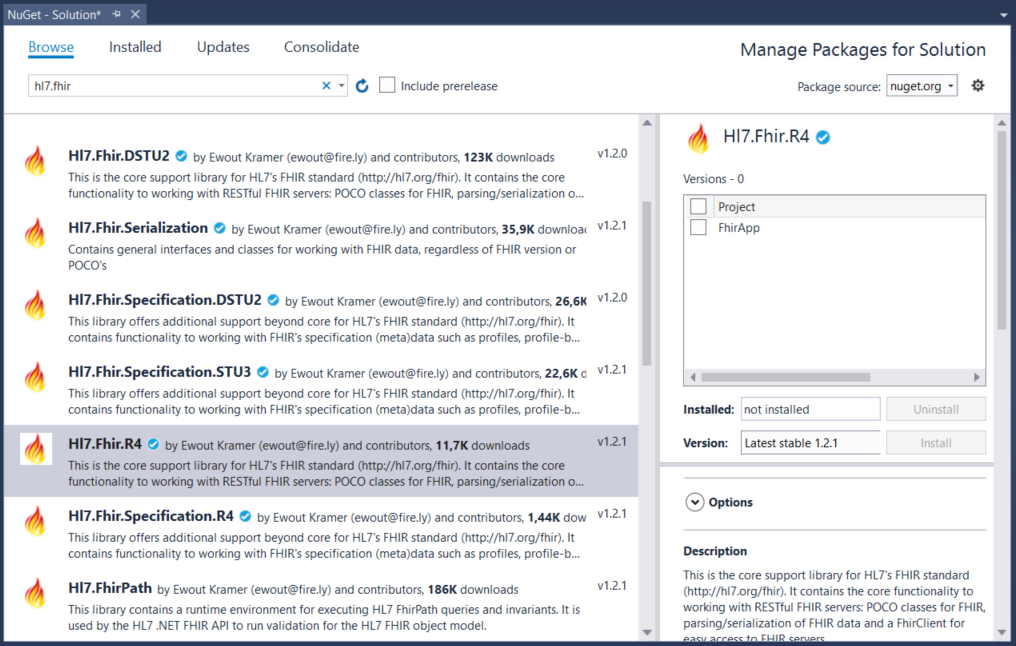
Install via Visual Studio
To install the package using Visual Studio, follow these steps:
Open your project or create a new one.
Navigate to Tools 🠮 NuGet Package Manager 🠮 Manage NuGet Packages for Solution….
In the Browse tab, type
fhirin the search field.Select the required package, such as
Hl7.Fhir.R4.Check the box next to your project name and click Install.